Physical Network Implants: The Rogue Device Problem
by zero
Most people picture a cyber attack arriving over the wire - a phishing email, a dodgy link, a brute-forced login. On a physical red team engagement, the attack walks through the front door. Once we’re inside a building, one of the most effective things we can do is quietly plug a small computer into the network and walk back out. That little box is a network implant, and whether an organisation can spot it says a lot about how good their network & physical defences really are.
What Is a Network Implant?
A network implant is a covert device we drop onto the internal network during an authorised physical assessment. It sits there looking like it belongs, and phones home to us over an out-of-band channel so we have a persistent foothold inside the perimeter - no further break-in required.
Dropping one is a brilliant test of the controls most organisations assume are working:
- Network Access Control (NAC) / 802.1X - does an unknown device actually get challenged, or does it just get a DHCP lease and a route to everything?
- Rogue device detection - will anyone notice a new MAC address appear on a switch port under a desk?
- Segmentation - if the box lands in one VLAN, how far can it reach?
- Physical security - did anyone question the person in a hi-vis kneeling by the comms cabinet?
Example Evolution of Network Implant Hardware Kits
Implants have come a long way:
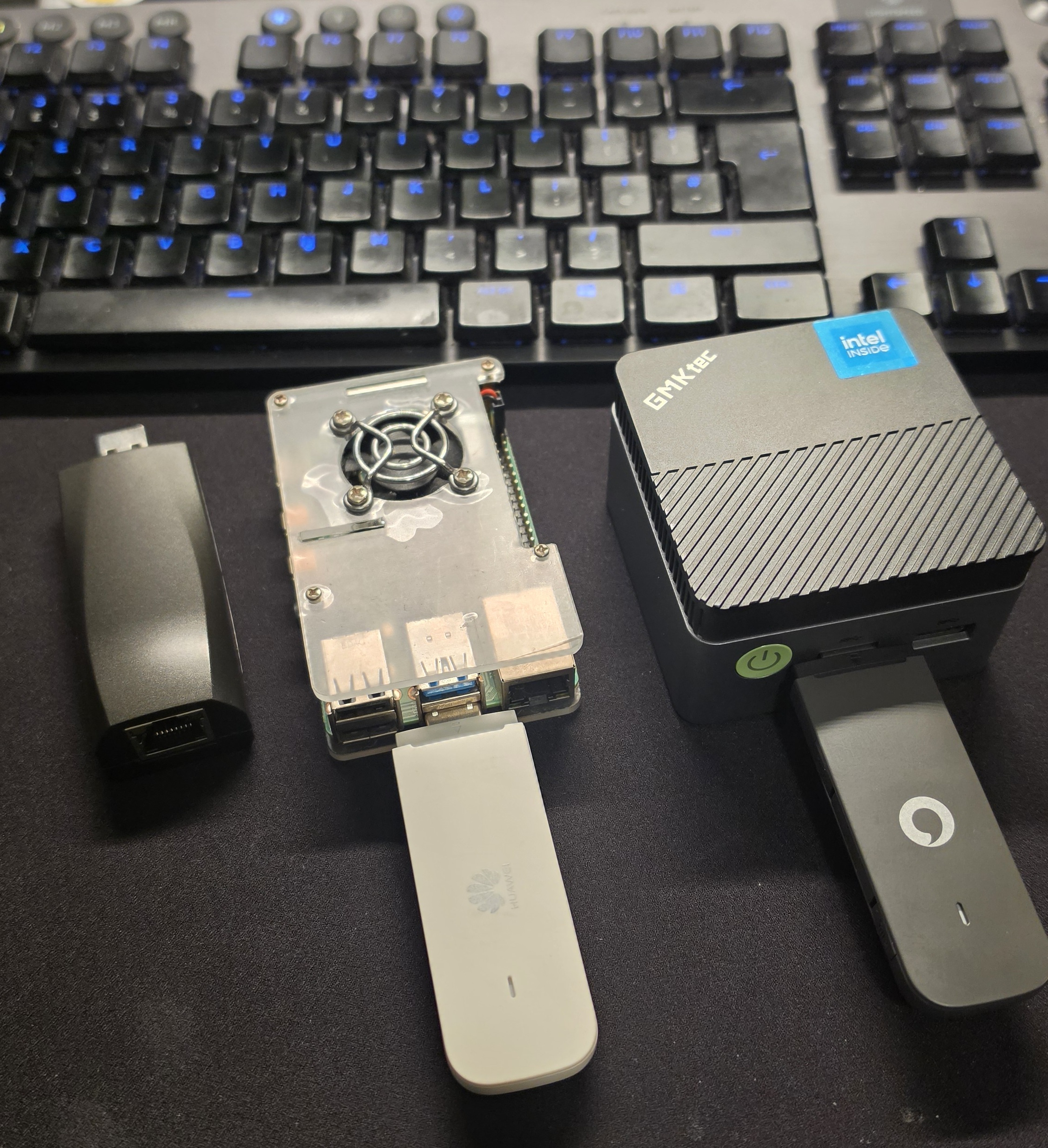
- Raspberry Pis - where most people start. Cheap and flexible, but limited horsepower, and it looks like a Pi if someone finds it.
- Hak5 LAN Turtle - tiny and convenient for a fast drop, but modest resources.
- Mini PCs like the GMKtec NucBox G5 - now my favourite primary implant and launching pad (more below).
- A custom circuit board implant - built in-house, small enough to hide inside a keyboards, that exfiltrates keystrokes over an IoT SIM. More on why that one matters shortly.
The One implant you might not ever Find: The Keyboard Implant
Can you spot a 4th implant in the first image? Its there hiding in plain sight.
It’s an ordinary keyboard. It looks normal, types normally, feels normal. But tucked inside is a tiny implant that quietly records everything typed on it - passwords, messages, that “just this once” admin credential someone pastes in and forgets - and ships it back to us over its own cellular connection.
That last detail is what makes it nasty. It never touches the target network. No rogue device hanging off a switch port, no strange MAC to notice, no traffic crossing the firewall for anyone to catch. You could rebuild the computer it’s plugged into from bare metal and the implant wouldn’t blink - it was never on the machine, it was in the keyboard. This is proper espionage-grade kit, hiding in the most boring object on the desk.
And that’s exactly why it belongs in a conversation about the supply chain.
Why the GMKtec Is my favourite Workhorse
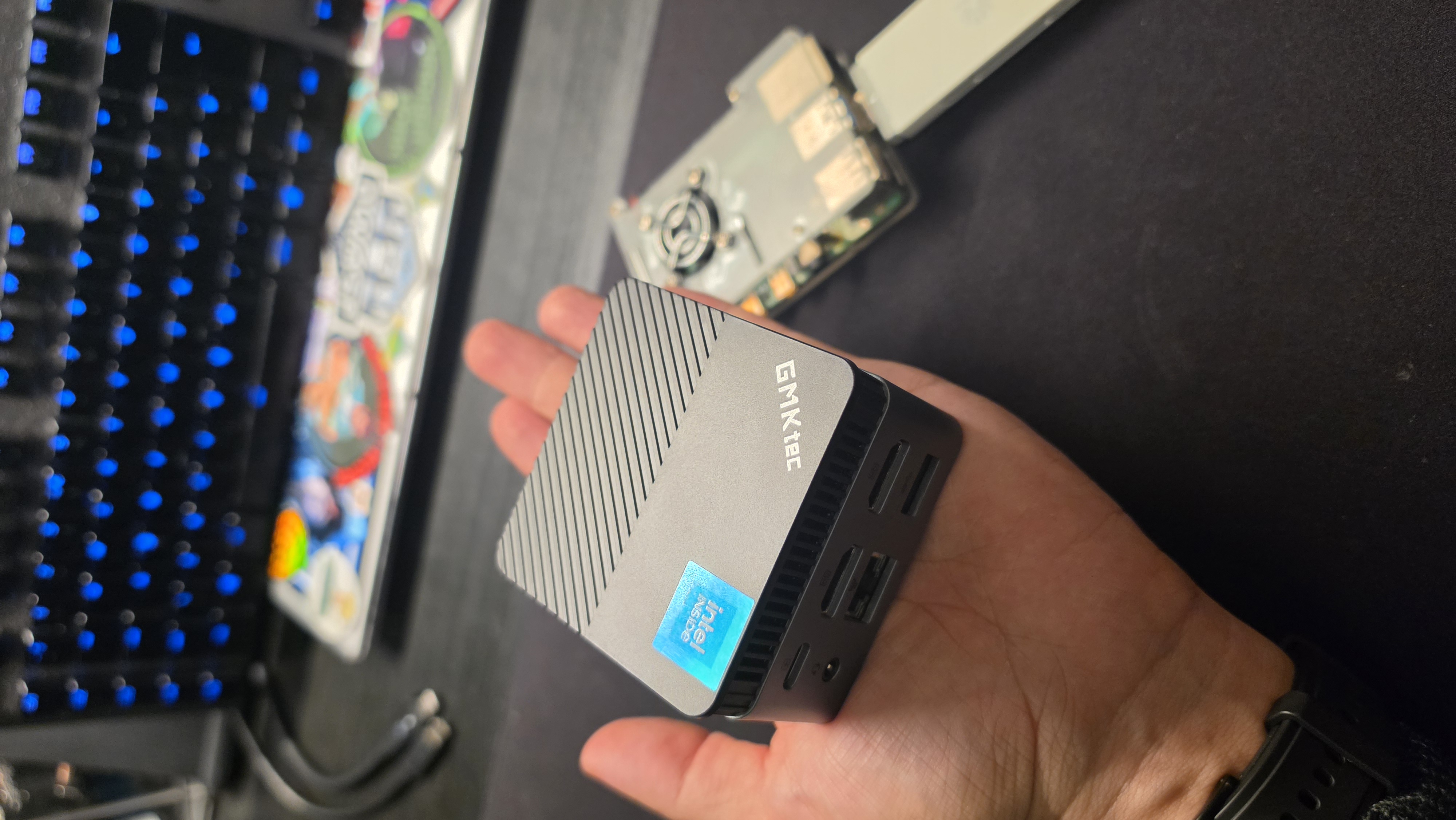
The NucBox G5 hits a sweet spot that’s hard to beat for this job. It’s an Intel N97 (Alder Lake) mini PC with 12GB DDR5, an M.2 SATA SSD, gigabit ethernet, dual 4K HDMI, and TPM 2.0 - all in a chassis that fits in your palm, at a budget price.
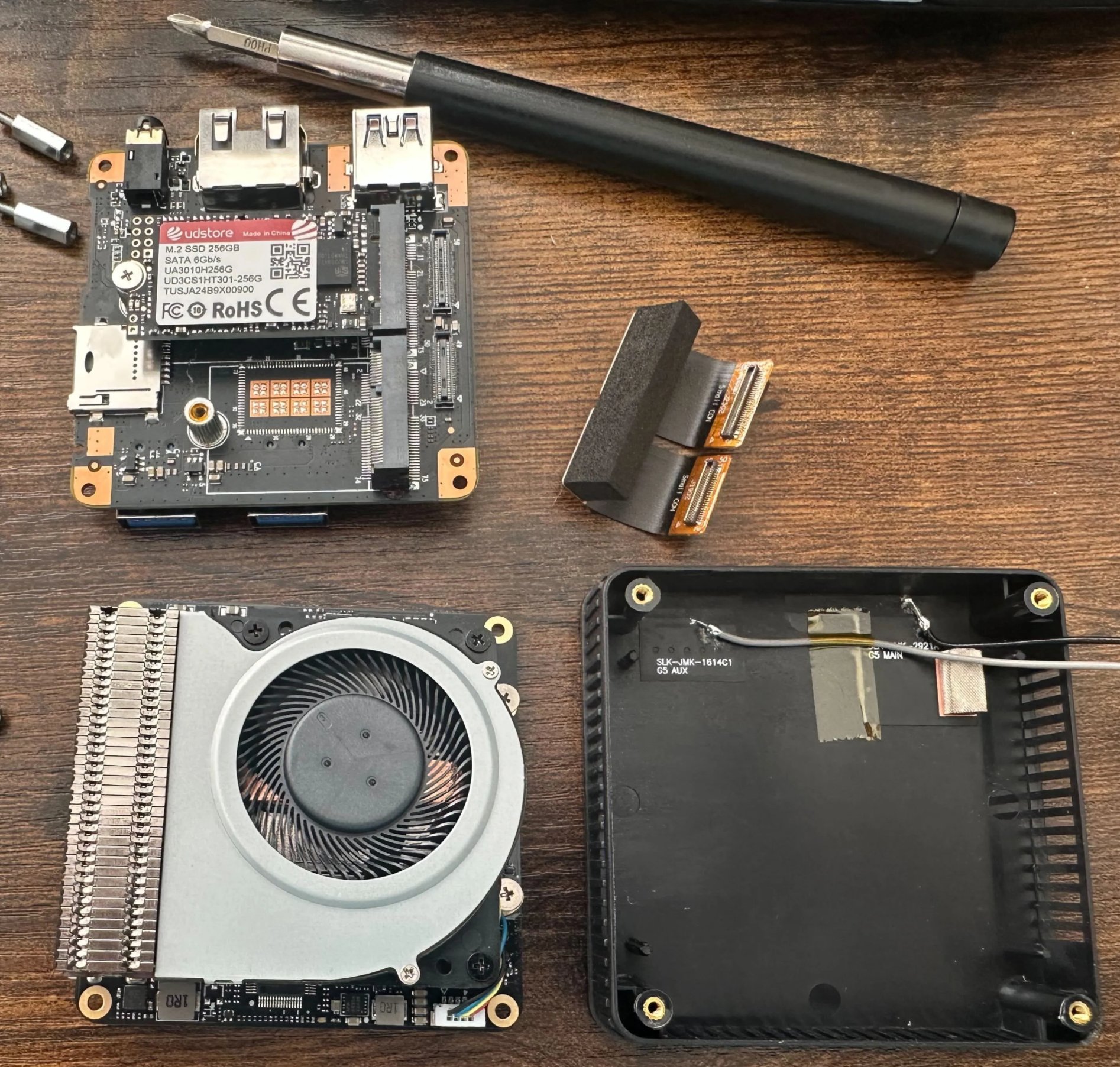
For an implant that matters:
- It’s a real computer, not a relay. With that N97 and 12GB of RAM it runs Kali Linux as a full launching pad - Responder, scanning, proxying, C2 - all executed locally on the box rather than tunnelled awkwardly back to us.
- Dual uplink by design. The internal ethernet port does the engagement; a separate cellular uplink carries our command-and-control. Our traffic never has to touch the client’s internet egress or their monitoring.
- Interfaces for days. Gigabit ethernet for the wired drop, onboard Wi-Fi for pivoting onto wireless networks or standing up a rogue access point, and Bluetooth for reaching nearby devices all on top of the cellular uplink. One little box carries every radio we’re likely to need, so we can move between wired, wireless and out-of-band without ever swapping hardware.
- It blends in. Gigabit NIC, unremarkable black box - it looks like any other bit of IT tat behind a desk or in a cabinet.
- TPM 2.0 = an encrypted brick if seized. We run full-disk encryption sealed to the TPM and the secure boot state. If someone finds the implant and pulls the drive, there’s nothing to recover - and tampering with the boot chain breaks the unlock automatically. No client data, no tooling, no engagement notes walking out the door.
- Cheap enough to leave behind. When a device costs this little, you can plan around not getting it back.
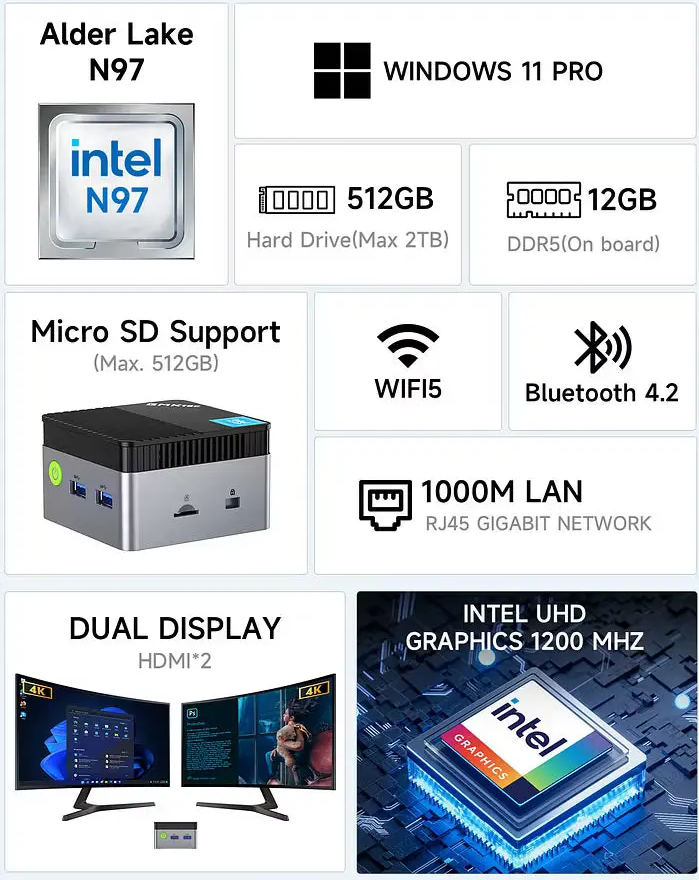
Full Manual and Specs here - https://manuals.plus/asin/B0CZRJL7JM
The Supply Chain Angle - and Why You Should Care
Here’s the part that should keep defenders up at night. If a professional team can do all of this under contract and with a scope, a real adversary can do it for real keeps. And they don’t always need to get into your building - they just need to get a device into your supply chain.
A “vendor” laptop, a server motherboard, a conference freebie, a replacement keyboard with something extra soldered inside. That last one is exactly why we built our USB keylogger implant: to prove that a trusted peripheral, sitting right under someone’s hands, can quietly betray them. Supply chain attacks are not a thought experiment - they are real, repeatable, and cheap.
What Defenders Should Actually Do
- Deploy 802.1X / NAC with proper device authentication. MAC allow-listing alone is trivially spoofed - don’t rely on it.
- Alert on new and unknown devices. Unexpected MACs, unexpected switch-port activity, devices that don’t match an asset - someone should see these.
- Segment the network so a single foothold isn’t game over.
- Tighten physical security. Escort visitors, lock unused ports, secure comms cabinets, and actually challenge people who “look like they’re meant to be there.”
- Treat peripherals and gifted hardware as untrusted. Buy from known channels and inspect what plugs into your estate.
- Run physical red team assessments. It’s the only honest way to find out whether any of the above holds up against someone who’s trying.
A network implant is small, quiet, and patient. The good news is that every one of the controls it tests is one you can get right before someone with worse intentions walks in.
Engagements described here are authorised, scoped, and conducted under contract. Don’t deploy implants on networks you don’t own or have explicit written permission to test.